 For the Church Committee
Offering Count
Every offering counted twice, and proven to agree before anyone signs the sheet.
SABBATH SCHOOL OFFERING
Saturday 12 September 2026
International Church

BAGS BY GROUP
----------------------------
Youth                ฿1,300
Primary                ฿500
Adult Class 1        ฿3,150
…
----------------------------
BAGS TOTAL          ฿12,650

CASH TOTAL          ฿12,650
============================
DIFFERENCE               ฿0
BALANCED
============================

Why it matters
A paper tally sheet can’t answer these questions on its own
Does the cash on the table match what the bags said?
Two long columns, added by hand, compared by eye, after a full service.
If it doesn’t match, where is the difference?
A ฿100 gap could be hiding anywhere in a pile of notes. The usual fix is to count everything again.
If a figure changed after signing, why?
Corrections on paper leave no reason behind for the treasurer or an auditor to read.
See it in action
A real count, start to finish, for each kind of offering

For the treasurer’s file
A printed report someone can sign
Figures right-aligned, a shortfall shown in parentheses, a rule above each total and a double rule beneath.
Church, university and congregation in the header, so a loose page is still identified.
Counted by, Verified by, and Received by (Treasurer).
PDF by e-mail, Drive or straight to a printer, or plain text pasted into LINE.
For the treasurer and head deacon
The admin desk, on any computer
Every count from every phone, in one place: count.rindra.org/?admin
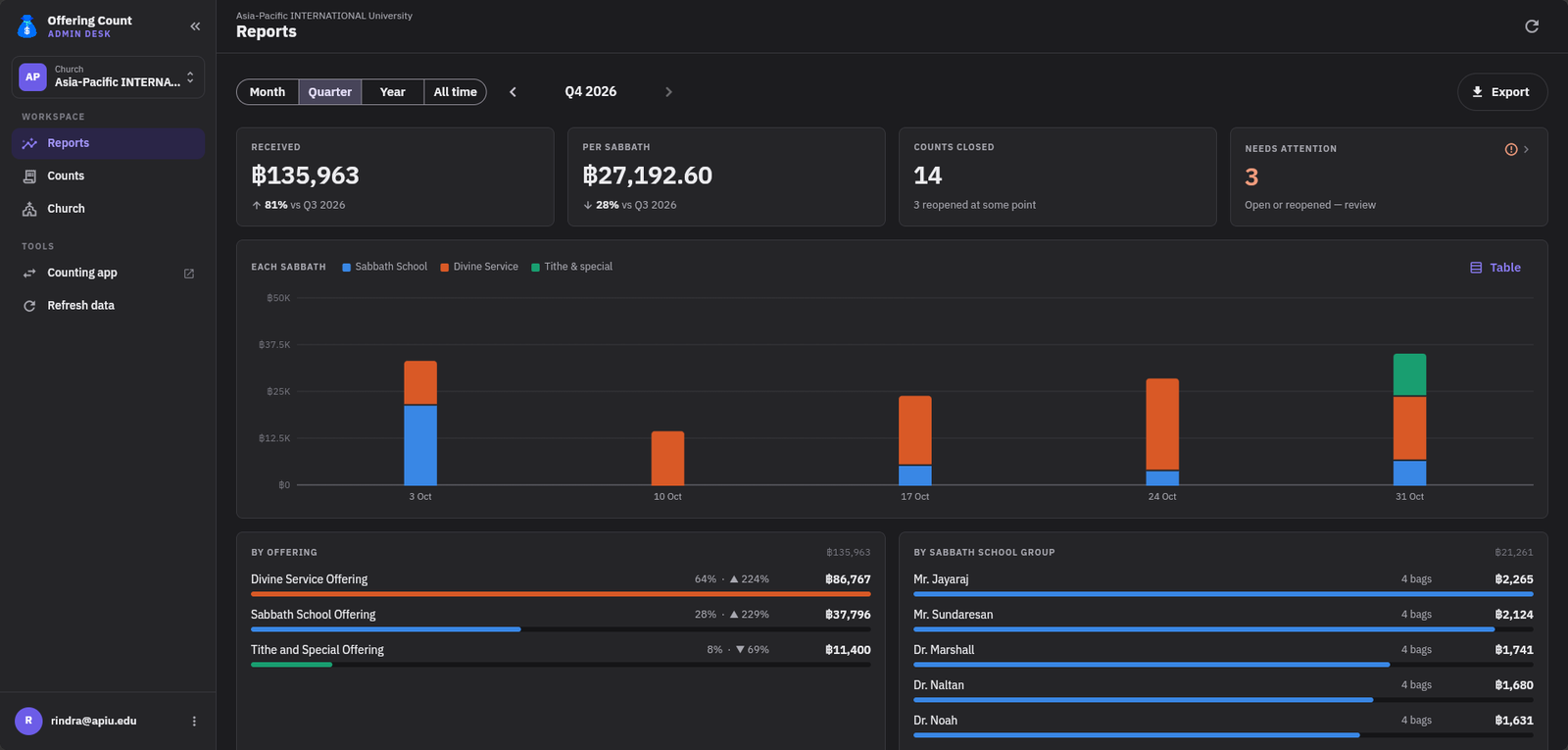
- 1Reports
What came in by month, quarter or year: each Sabbath, each offering, each group. Exports to Excel or CSV.
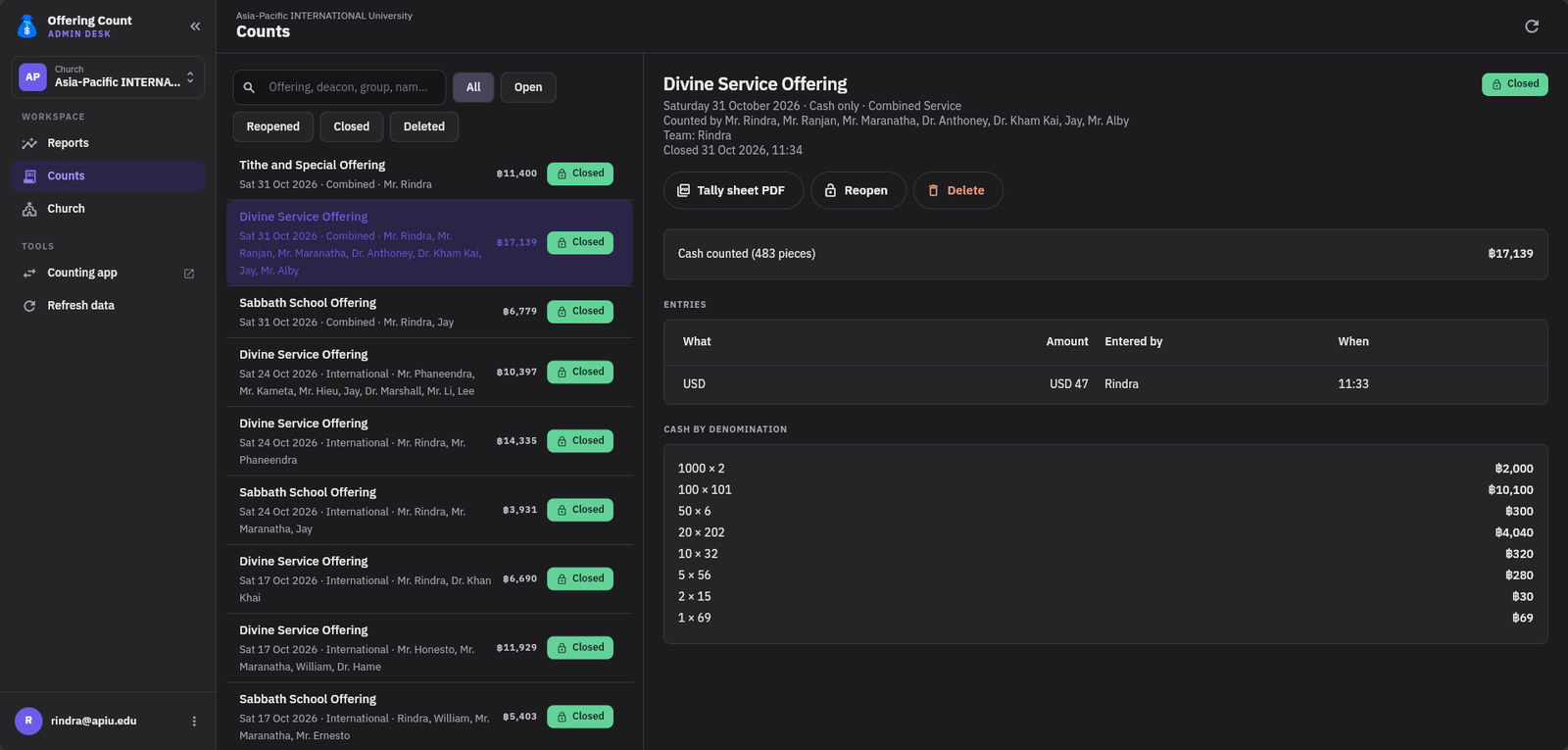
- 2Counts
Every count, who counted, the cash by denomination, and its tally sheet PDF. Reopen, with a reason.
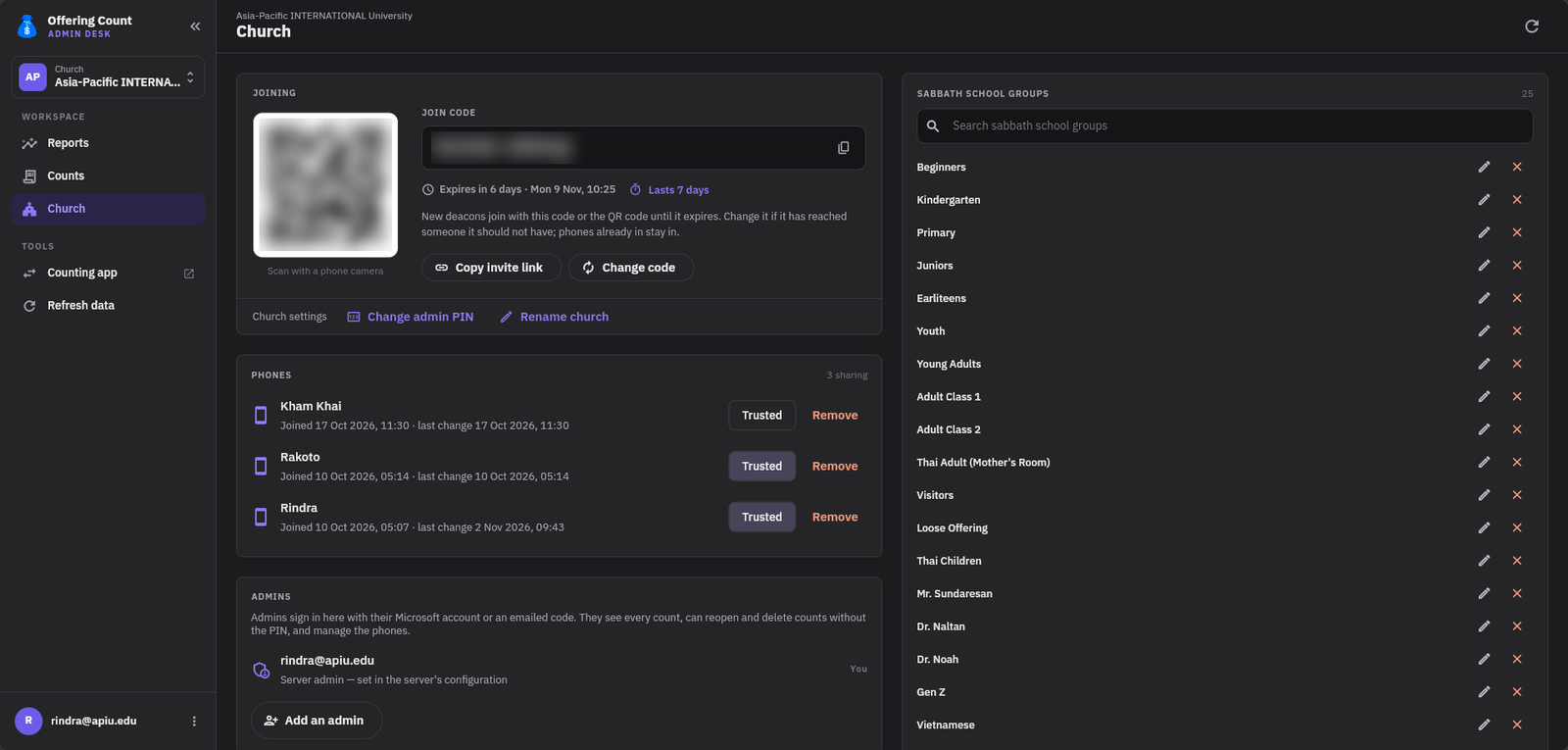
- 3Church
The join code and how long it lasts, which phones may count, the admins, and the group lists.
Where we are
Ready to use today
Proposed next steps
Pilot
Count with the app alongside the paper sheet for a few Sabbaths.
Review
The treasurer compares the admin desk’s reports with the paper sheets.
Adopt
The signed PDF becomes the record that goes in the treasurer’s file.
Offering Count
Questions?
Counted twice, proven to agree, and every change on the record.